

orders. Refer to Medication orders JSON schema for the orders payload structure and field definitions.
Common integration patterns and use cases
Design note handling around how your application receives submitted content and writes it into the EHR. The Web SDK generates the note after submit; your application listens for the payload and persists it. The following patterns show common ways to manage notes with the Web SDK:Receive Notes in React
Pass
onNoteSubmit to SukiAssistant, or subscribe to note-submission:success with useSuki().on, then map noteId, encounterId, and contents into your EHR write path.Receive Notes in JavaScript
Subscribe to
note-submission:success on the SDK client, read each section’s title, content, and loinc_code, then save the payload in your application.Title Notes with Visit Type
Pass
visitType in ambientOptions at mount or through setAmbientOptions so the in-product note list uses that value as the note title instead of the generic Note label.Handle Medication Orders on Submit
When medication orders are enabled and LOINC
52471-0 is in ambientOptions.sections, read orders.medication_orders from the same submission payload and persist it with the note.Account for Offline Generation Delay
Expect slower note generation after offline sessions because the full audio uploads after reconnect. Keep your submit handler ready for delayed
note-submission:success events.Map PBC Diagnosis Fields
When a section includes
diagnosis, map those fields into your chart with the note text. Codes on this object reflect diagnoses you passed into the session, not auto-generated codes for new problems. See Diagnosis.Note generation
Note generation happens automatically after session submission. Generation time depends on connectivity:- Online: Faster generation since audio is processed in real-time during the conversation.
- Offline: Slower generation since the entire audio file must upload first after connection is restored.
Receiving note content
When a note is successfully submitted, the Headed Web SDK provides the note content to your application. When Medication orders are enabled, the same response includes anorders object. Receive the payload using either method:
onNoteSubmitprop (React only, recommended).note-submission:successevent (React and JavaScript).
JavaScript
Note titles in the Web SDK UI
When you passvisitType in ambientOptions at session init (for example in mount, ambientOptions on SukiAssistant, or setAmbientOptions), the Web SDK uses that value as the title for the generated note in the in-product patient note list. The generated note title will match the visitType value. This helps clinicians distinguish multiple notes created on the same day.
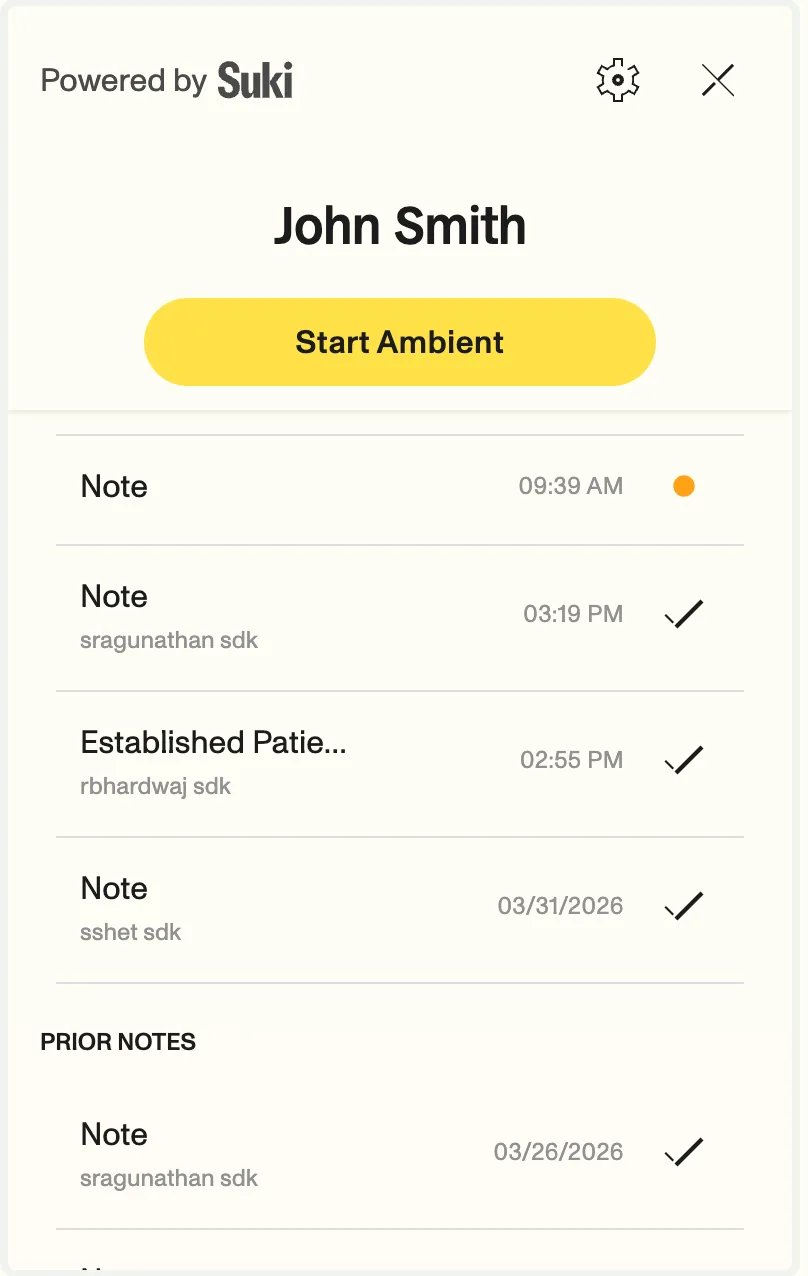
The generated note will have Created At Timestamp instead of Today date.
visitType is omitted, the UI keeps the previous generic title behavior and the note title will show as Note.
Response structure
When a note is successfully submitted, you receive a response object with the following structure:JSON
Response fields
string
Unique identifier for the generated note.
string
Unique identifier for the encounter associated with the note.
Array<NoteContent>
Array of note sections. Each section contains:
title: Section title (e.g., “History of Present Illness”).content: Section content in plain text.loinc_code: LOINC code for the section (optional).diagnosis: Diagnosis information if applicable (optional). Refer to Diagnosis for complete structure.
object
Structured orders returned when medication orders are enabled. Refer to Medication orders JSON schema for field definitions.
orders is included only when Medication orders are enabled for your organization and you pass the Medications LOINC code 52471-0 in ambientOptions.sections. Refer to Medication orders integration to configure medication orders.